
AdsManager 2.0
The agency workspace for Meta ads
One workspace for Meta campaigns, prepaid balances, GST invoices, automations, and AI — built for agency owners who still have to deliver, not only buy media.
Agency team? Agency LoginSee pricing
Live agency dashboard
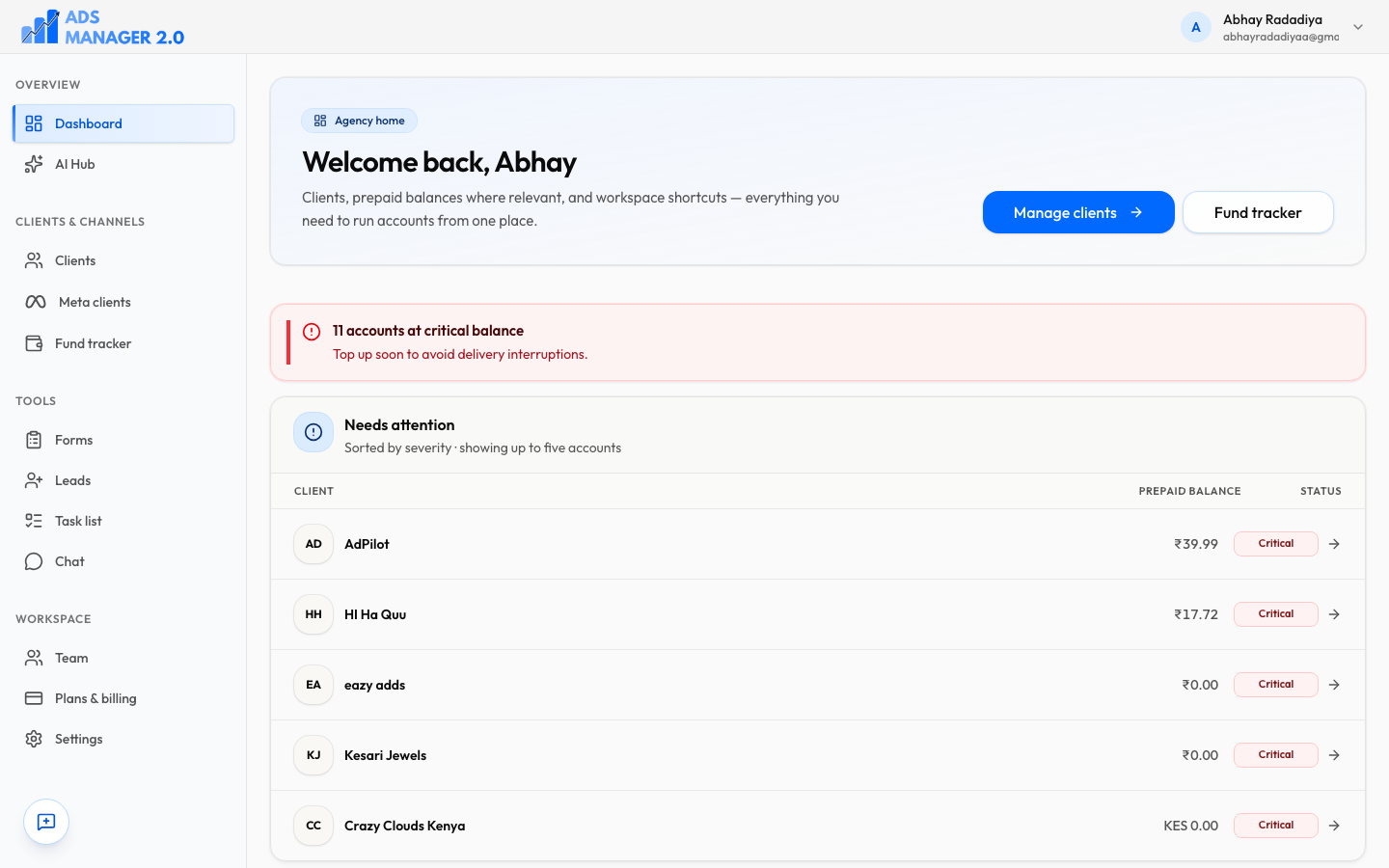
- Critical prepaid balances
- Clients ranked by who needs a top-up
Meta ads
Campaigns, ad sets, and ads per client account
Razorpay
INR billing — cards, UPI, and more
GST-ready
Client invoices with PDF export
14-day trial
Full product. No card to start
Unlimited clients
On trial and paid plans
A day in the agency
The same home from standup to client replies
AdsManager is the workspace after ads go live: money, media, and the people who need an update.
Step 1
Morning: scan the books
Open agency home. Critical prepaid balances and the clients who need a top-up are already ranked — before a campaign goes dark.
Step 2
Midday: Meta and AI together
Jump from a client into campaigns, insights, and automations. Ask AI Hub who is low on funds or where spend concentrated — without exporting a sheet.
Step 3
Afternoon: invoice and assign
GST invoices, tasks, and chat live in the same workspace as the ad accounts. Account work does not have to leak to WhatsApp threads.
Step 4
Anytime: clients self-serve
Hand them the portal for performance and billing. You keep Agency Login; they use Client Login — both are in the header on this site.
Agency ops
Clients, funds, and the list that actually matters today
Search every brand, see Meta connections, and jump from a critical balance into the account. Fund tracking sits next to the client list so prepaid delivery does not depend on a spreadsheet.
All clients
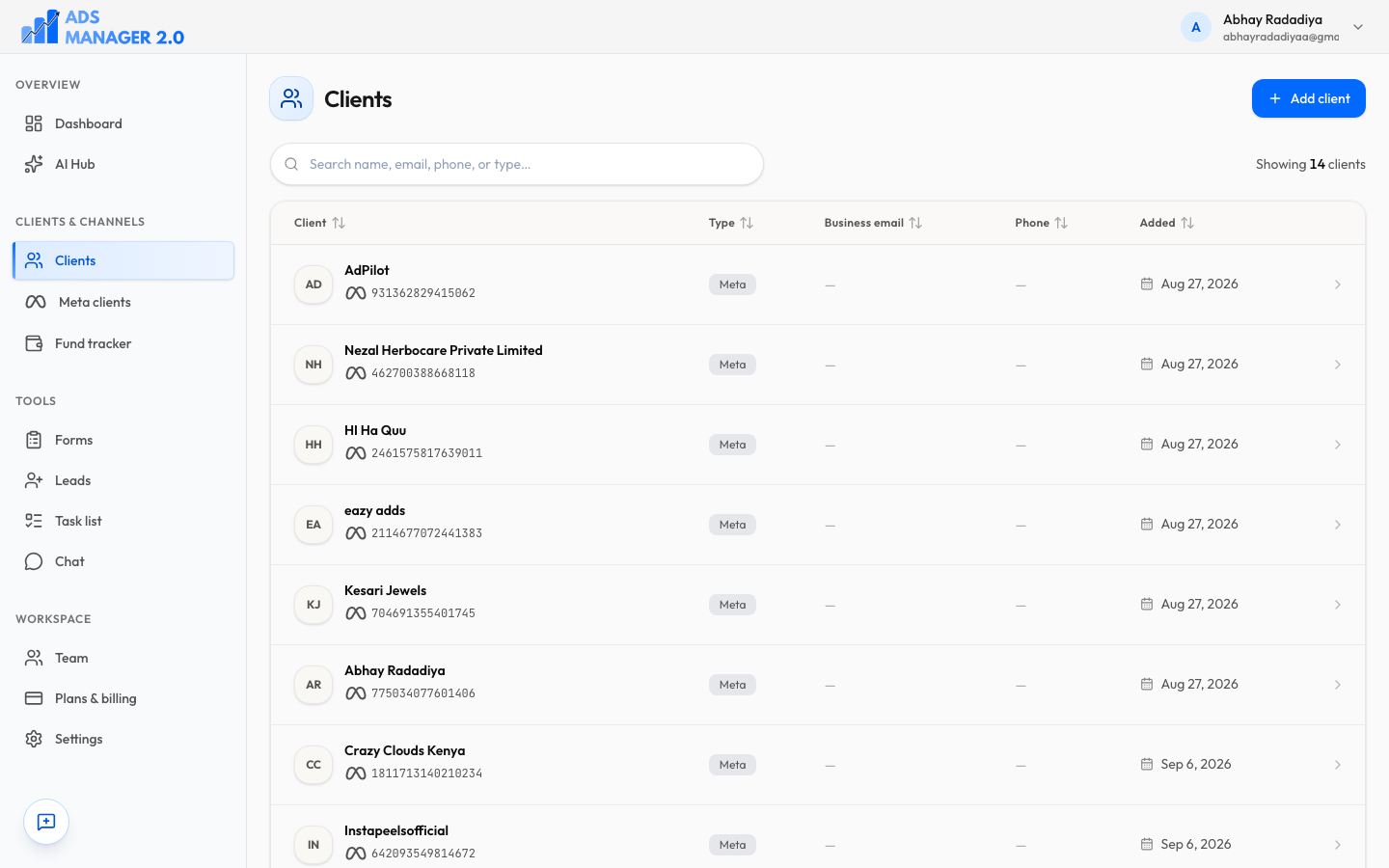
- Meta-connected clients in one searchable table
Meta + AI
Ask the workspace — then open the ad account
AI Hub runs across clients, tasks, and invoices. Suggested prompts cover who needs attention, where spend is going, and who is low on funds. Campaigns, insights, and automations stay one click away inside each client.
AI Hub
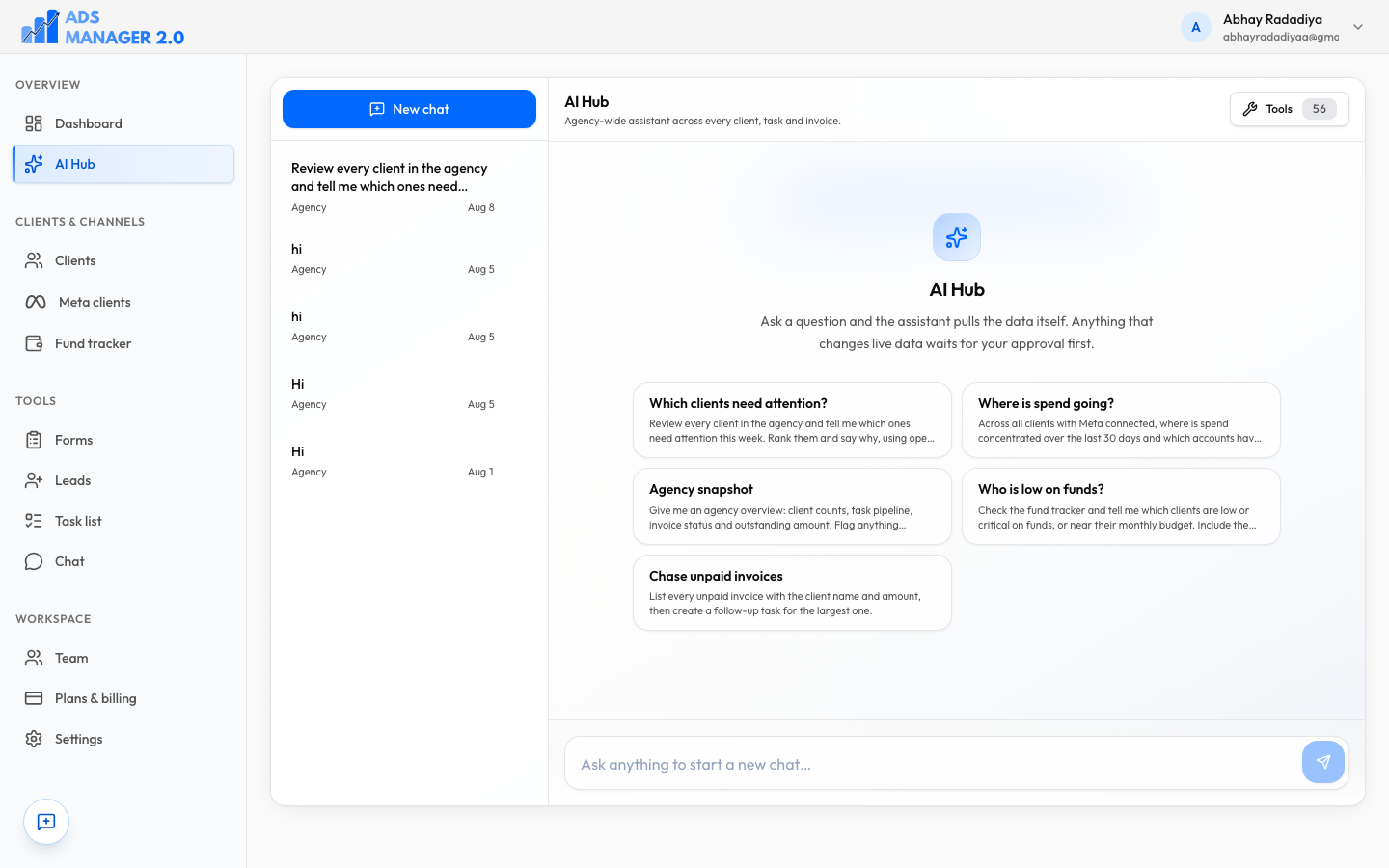
- Prompts that pull live agency data
Client portal
Give clients a door that is not your inbox
The portal is a warm, separate surface for performance, invoices, and messages. Clients use Client Login; your team stays on Agency Login. You keep the books; they get a branded place to look.
AdsManager Portal
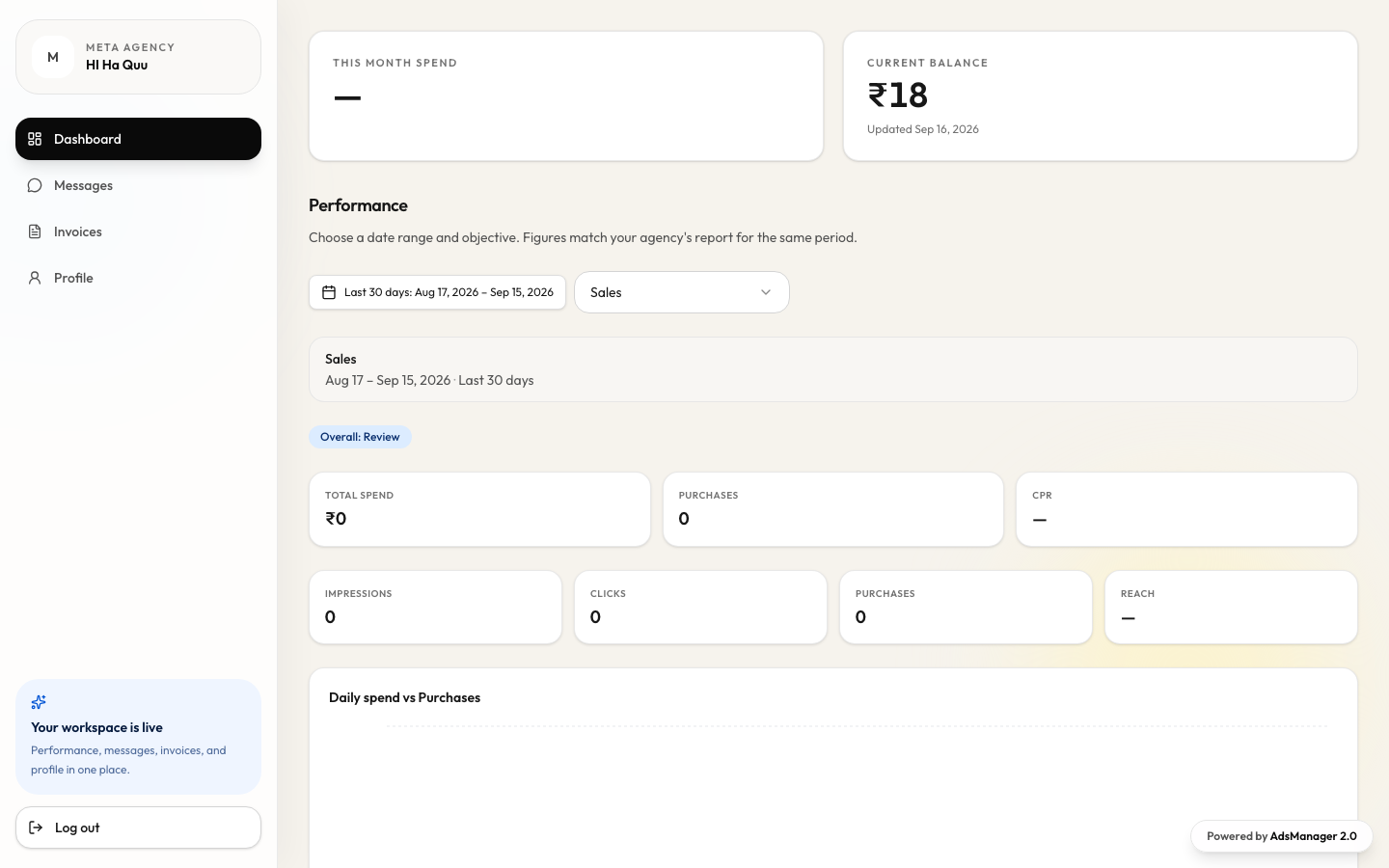
- Spend and balance the client can see
Every surface, documented
Campaigns, insights, automation, AI Hub, and agency ops each have their own page — with the same product screenshots where we have them.
- Campaign ManagementManage Meta campaigns, ad sets, and ads with agency-grade workflows.Learn more
- Performance InsightsCatch ad fatigue, scale winners, and stop budget leaks early.Learn more
- AutomationBuild visual workflows that act on rules, schedules, and Meta signals.Learn more
- AI HubAsk questions, get recommendations, and accelerate media ops with AI.Learn more
- Agency OperationsClients, fund tracking, GST invoices, tasks, chat, and team roles.Learn more
FAQ
Questions agencies ask before they start
Who is AdsManager 2.0 for?
Agency owners and teams who run Meta ads for multiple clients and still need the delivery layer — funds, GST invoices, tasks, chat, and a client portal — in the same workspace.
What do I get in the 14-day free trial?
Full product access: Meta campaign views, insights, automations, AI Hub, clients, fund tracking, invoices, tasks, messaging, team roles, and the client portal. No card is required to create a workspace.
How does billing work after the trial?
Subscribe in-app at ₹999/month or ₹9,999/year via Razorpay (INR). Paid plans include unlimited clients. Cancel anytime; access continues through the end of the paid period when cancel-at-period-end is set.
Can my clients log in themselves?
Yes. AdsManager Portal is a separate login for end clients. They can review performance, invoices, and messages you share. Agencies use Agency Login; clients use Client Login — both are always visible in the site header.
Do I still use Meta Ads Manager?
You connect Meta ad accounts and work campaigns, insights, and automations inside AdsManager. When you need the native create surface, you can jump into Meta Ads Manager from the workspace.
Is invoicing actually GST-ready?
Yes. Agencies can raise GST-aware invoices and export PDFs for client billing. Clients can review billing history in the portal when you share invoices with them.
Start your agency workspace today
Create an account, invite your team, connect Meta, and claim a 14-day free trial — no card required to begin.